
Every check ends with evidence you can stand behind: which vehicle, where, when and who recorded it, matched against your funded book.
From request to record
The five steps
You set the check
Choose the dealer, the deadline and who does it: the dealer, your own team or a third-party auditor. Run checks on a schedule, or start one when something looks wrong. The dealer doesn’t set the timing.
Your funded book sets the list
Auditor works from your funded book, so whoever is on the lot sees exactly which vehicles to find.
The lot is walked with a phone
Each funded vehicle is recorded with a live, geo-tagged, time-stamped photo in a few seconds.
Every photo is checked
Automated checks look at each image for location, VIN, distance, time and signs of AI or editing. Anything that fails comes to your team with the reason. How validation works
Exceptions come to your team
Every VIN is matched against your funded book. Missing, sold or unexplained vehicles are flagged, and so is a check that isn’t finished on time.
What every vehicle ends up with
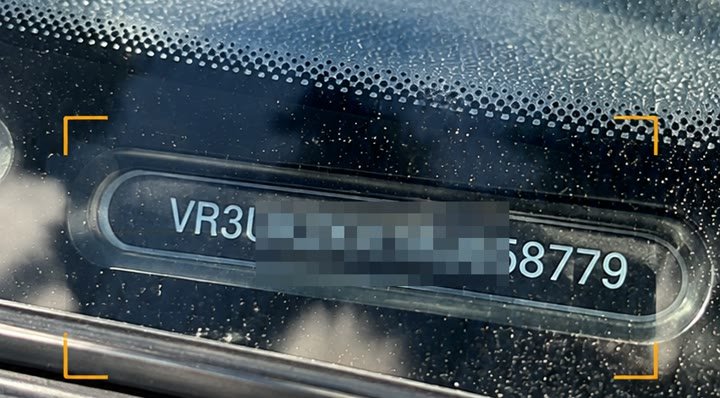
- VIN…8779 · read from photo
- LocationOn site, by GPS
- Captured07 Nov · 10:42
- Checked byDealer staff
- Automated checks6 of 6 passed
- Funded bookMatched
Exceptions
What happens to an exception
Any funded vehicle that isn’t on the lot becomes an exception, and the dealer has to account for it.
The dealer records the reason
They pick it from a list, for example sold, demo or loan, at a bodyshop, in transit, at another of their sites or at auction, and add a note. Where the exception calls for it, they add evidence such as a photo of the transfer notification or the sale paperwork.
Your team can step in on any vehicle
Your rules decide whether an exception is closed, closed for this audit cycle or escalated. Your team can reject the explanation, reissue the vehicle to the dealer, or escalate it to someone else.
Every exception keeps its history
You see the pattern at a dealer, not just this month’s answer. For example: a dealer says a car is out on demo until the 14th. Your team flags it, and Auditor reissues it to the dealer for that date.
Dealer checks and physical audits
Both, in one system
Many funders combine the two, in either order. Everyone works in the same system, so every result compares like with like.
Dealer first
Physical audit first
Who walks the lot
Four ways to check a dealer
Same app, same checks, same record. The only difference is who walks the lot.
Dealer self-audit
Dealer staff walk the lot with a phone. Live capture means you can rely on it.
Your team or a third-party auditor
Using the same app and the same record.
A physical audit
Arranged through our partner network, for a new facility, a dealer you’re worried about or a dispute.
Remote checks
FunderConnect confirms most funded vehicles are on the lot without a visit. Your Auditor checks show where each dealer really keeps its stock, and those sites become the documented locations FunderConnect counts as on the lot.
Check before you fund. Audit after.
CheckVentory PreCheck checks each vehicle and its documents against your rules before it goes on funding. Auditor then confirms it’s still on the lot while it’s funded.
See a check run on your own dealers
Book a 30-minute demo with our team.